Stage ordering for Steel Challenge Match

Hi,
I trying to setup a new Steel Challenge match for next year, using the web. I chose “Steel Challenge Default” as the template. The intent is to use it for the first match, and then clone it for subsequent matches.

For the stages, it has the 8 stages, SC-101 to SC-108. However, for our club (with 8 bays) the bay stages are in the bays in a different order (1= SC-101, 2 = SC-105, 3 = SC-106, 4 = SC-108, 5 = SC-107, 6 = SC-104, 7 = SC-102, and 8 = SC-103).

Is there a way to rearrange the ordering from the web site? I see that I can go to the app, import the match registration, and then move the stages around, under build stages, but won’t that mean that I’ll have to do that for each match I clone from this match?

Do I, under the dashboard, need to add the stages, along with PDFs, or are the PDFs automatically provided for the Steel Challenge Default template?

Next, if for some matches, I want to use one of the new candidate stages that have been proposed (in place of Speed Option or Outer Limits), how do I modify the stages to include the stage in bay 5 or 6? Do I need to do that from the app (add a non-classifier stage, move it into place, and remove the corresponding stage)? No way to do from the web site? How do I include a diagram of the stage?

Lastly, am I approaching this the right way (creating a match and then cloning it for other matches)?

Thanks!
@Paul_PC_Michali the main purpose of the SCSA “default” match template is to have the default SCSA stages. These stages will come down by default when you pull the match registration for that match into the PS2 using pin#.

You can delete stages you don’t want, rearrange them, or add any other stages (including provisional ones). Look at the 3-dots entry-menu on the stage list screen for options to reorder stages.

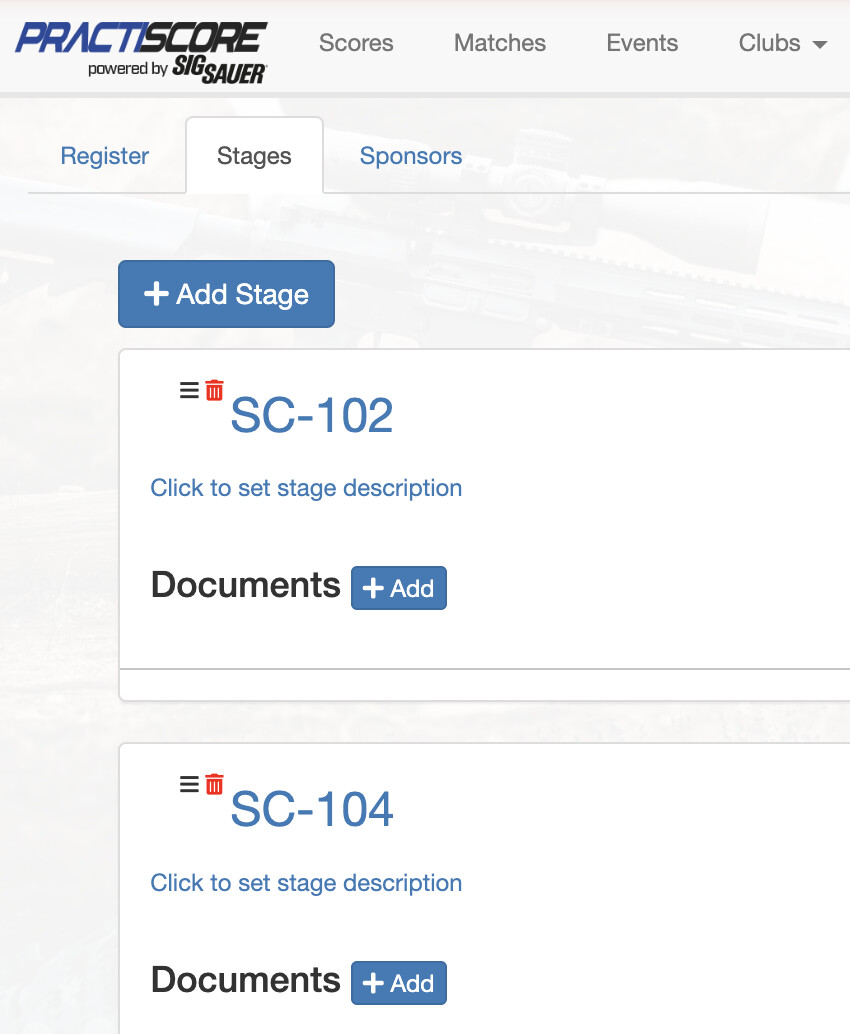
However if you do not want all these default stages, you should not use the “default” match template and instead use the “blank” one. You can then declare stages you want to use on the registration form screen. Go to the Stages tab, there you can add stages and as their names simply enter the standard SCSA stage classifier ids (e.g. SC-101, etc).

The provisional SCSA stages can’t be added that way, unless SCSA adds them into their stage library that PractiScore 2 app is using. You should contact them about that, but in the mean time you will have to configure stages manually in the app.

1 Like

Thanks for the info.

Initially, I want all 8 stages, I just want them in a different order. Then, for each match, I may remove a stage (early and late in the season, when there is less time, we usually skip Outer Limits and run 7 stages).

Would it be better for me to choose a blank Steel Challenge template and then add the stages in the desired order, instead of using the default and having to re-arrange them in the app at every match?

If I do that, and specify that it is a classifier, will it automatically include the diagram into the stage, like it seems to do for the Steel Challenge Default?

What I’m thinking of doing for 2026, is running 6-7 classifiers and 1-2 of the provisional (which I can add in) in place of Speed Option and/or Outer Limits. I have the PDFs for the provisional stages and was thinking of modifying each match to replace a classifier or two with the provisional stages.

It is really up to you. You can use the default match with all stages and delete ones you won’t be using in a given match and reorder them on the tablet at that time. Or if you want to give your competitors mode info you can state specific stages and their order in the match registration.

As far as I know SCSA haven’t posted the individual classifier stage PDFs (they should have done that) and they haven’t made provisional stages part of the SCSA stage library (and they should have done that). So, the PractiScore does not know anything about these stages and you will have to create them manually in the app, unless these things change.

1 Like