So on the main club page after enabling membership, all there is is an “apply for membership” button. It would be nice if that instead it was changed into link and routed to the customized “https://practiscore/clubs/{club slug}/membership/join” webpage. We put a lot of detailed information on that join page, but there is no obvious way for users to find that. On the main club page, the lone “apply for membership” button is just very vague and when you click on it, it just tells you you applied.
@NWRA_Club
Any new shooters need to be directed to the Main Practiscore page where they can create an account for free. Not to a club page as their first interaction.
Then they can search out clubs or matches on the web site.
Please understand the membership function is a very limited system for membership. It is not a full fledged membership management program.
Depending on what you are looking for it may or may not fill your needs.
The membership sign up button has never been a problem for the limited number of clubs using the system.
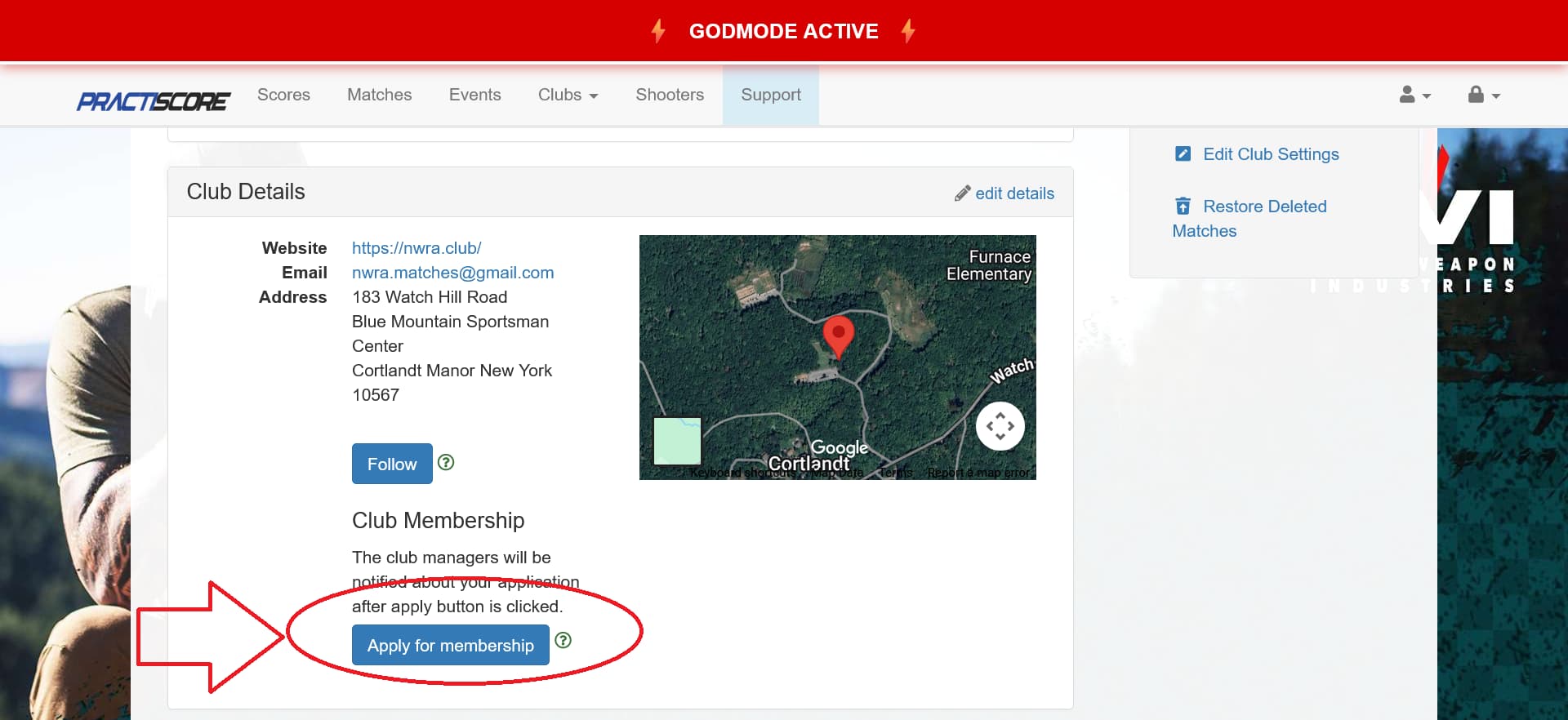
I get that, but my suggest was to have that button instead of trigger membership, have it just be a link (in the style of that button) that goes to the custom membership/join web page you guys have which is here: https://practiscore/clubs/{club slug}/membership/join
It allows to showcase full details about the membership. From that page you guys also have the button that triggers the membership request.
IMHO it’s a small change that adds value.
Just my two cents