completed events not in dashboard. same results on computer or iphone
1 Like
@Scott_Ward
Happy to help but we really need more information. such as the matches you shot that are not showing up. Links to results are best.
For you to confirm that you registered for those matches online. Which email you registered with. etc.
More info helps us look into it.
Currently this is what your dashboard shows. There are more?
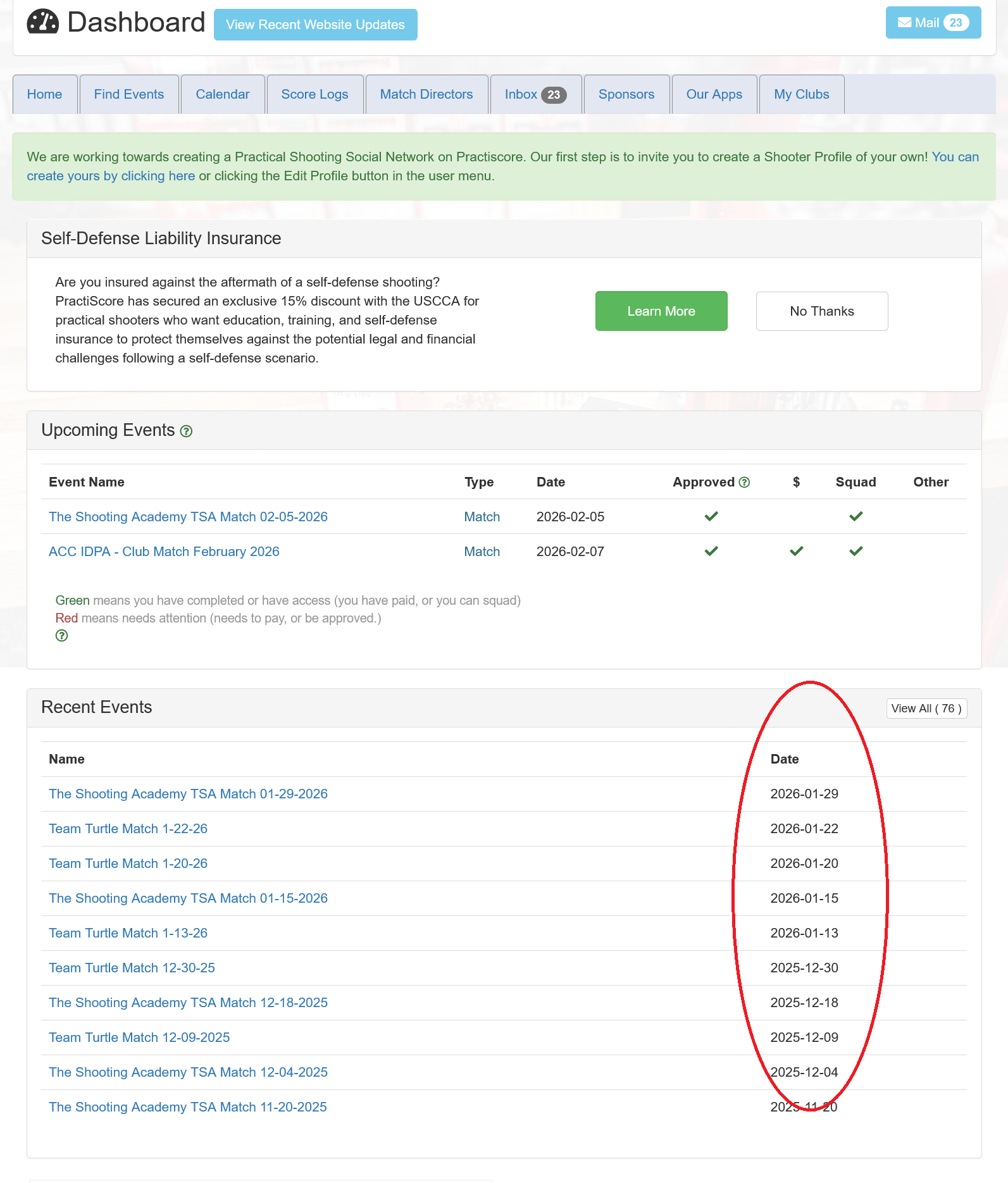
I signed in & registered from my dashboard, the match results from last night are not in results:
@Scott_Ward
Having your matches track to your dashboard is not a guarantee. The link can be broken by the match director doing a few things before posting of the match.
It works most of the time but it’s not guaranteed to work every single time in every single situation. You might check with your match director and ask them to double check your email in the master tablet and then re-post the results. Unfortunately there are things the MD can do to break the connection and we can’t fix that. (such as cloning matches, which this one is.)
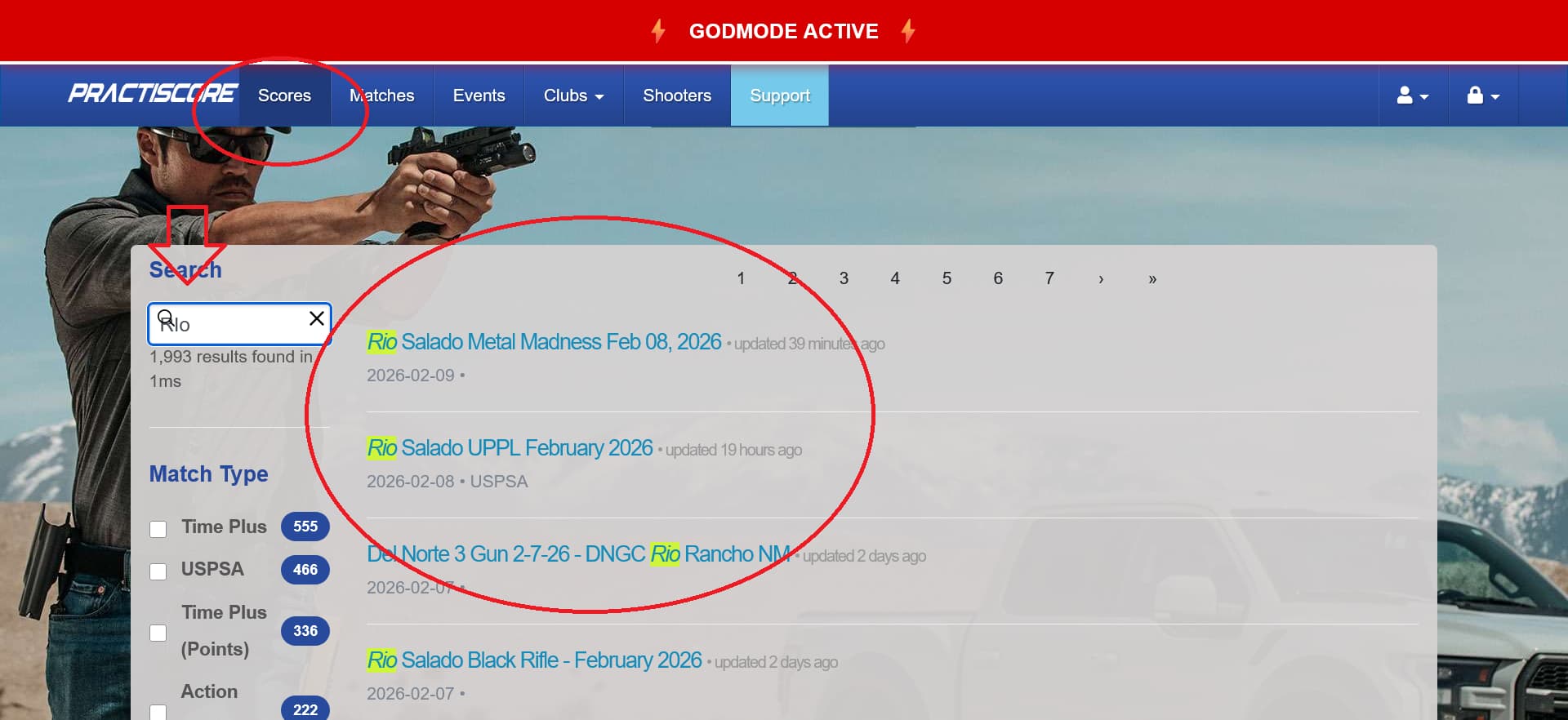
Luckily, you can always use the search function under the scores tab to find your match results.
thank you!
Same problem with the last two matches that I have shot. One of them was my CTASA Thursday HF match and the other was one of someone else’s that I attended Tuesday night. Neither show after completion. Used the web and same address that I always use when logging in to signup for both of them. The match I ran last night was the exact same steps that I always use. Use pin to d/l match to tablet, use tablet for check-ins, reorg and adjust squads, sync to the two stage tablets, run the match, after it is over I sync back to the tablet I used for the d/l and check-in, verify all the shooters have data and the sync has worked, then post to PS. Same tablet that it was d/l with. The Tuesday night match was just one I attended of another local club. I also asked others at dinner after the match and they could not see the results in their recent history either. This has always worked. It is how I verify that the posting to PS has worked, if I don’t see the match after 10 minutes I would repost since there is no dialog that the posting was completed successfully. But, if you go search by club, you can find the match results posted. Doesn’t matter if I am on any of my 3 computers or my ipad and phone. Same results for all. So it isn’t a browser cache type issue or version issue. And since it is having the same behavior from club match to a different club match I know it isn’t our template that was used to clone with. At least there is nothing there that we can see. I reached out to Steph to see if she had seen this behavior previously or not. No answer yet. Here is one of the matches. https://practiscore.com/results/new/321100 An here is the other https://practiscore.com/results/new/5300b548-ab3e-4e4d-8623-aa8f1fda2aec
1 Like
I too am having the same issue. I am signing up to the matches same as always. I will bring it to the MD’s attention.
I’m having the same issue. Registered the same way I have for years. Practiscore stopped sending emails to the email account I use a couple years ago. The last two matches haven’t gone to my dashboard. Different match directors. It seems strange that it seemed to start about February 1st.
1 Like
We create them from a template. Which we update every 6 months or so and just clone the template. But that cannot be the cause of this. It isn’t just the CTASA matches. 3 matches this past week including today. All three with different clubs, all 3 have the same behavior with the website. Match today with with JCSSA and it isn’t showing in recent history, but the scores are posted. https://practiscore.com/results/new/321499 So that is 3 separate matches created and put on by 3 separate clubs and everyone is seeing the same thing.
Multiple people using very different methods to access the website with 3 different club matches. All seeing the same problem. Something has changed on the backend somewhere.
1 Like
I will discuss this with the webmaster next week.
1 Like
@Dan_Sierpina
In regard to you not receiving system emails. When you look at your inbox on your practiscore dashboard, do you see all the system emails there. I will bet that they are all there for you. That shows that your email server company,in this case Verizon, is blocking the system emails as spam.
Similar things happen with Hotmail, AOL, Yahoo, etc.
Check it out
something is broken on PractiScore website, but Practiscore is refusing to admit it. I have shot on Feb 3 and Feb 7, can’t see any of these two.
@Dmytro_Dan_Subotskyy
It’s 9:00 on a Saturday night. As I said above I will be discussing it with the webmaster when he’s in after the weekend.
We are not refusing anything.
There’s a list a mile long of things that could make this happen with every single match.
2 Likes
I’m seeing similar behavior. Results not showing up in recent events list.
“Nampa USPSA Feb 7th Match”
Shooter: Don Crow
USPSA: L5857
Email: dd.crow@outlook.com
The previous two events, “Emmett January 31st 2026 USPSA” and “Nampa USPSA Jan 31st Match” show up as expected.
Throwing my hat in here too, process was the same as the past 5 months I’ve created the match + uploaded scores and they just didn’t post to anyone’s dashboard. Emailed all my shooters the link to the scores.
Deleted my year’s worth of upcoming matches because I read here and believed cloning the matches is the problem. I’ve been cloning them since September that ain’t the culprit this time.
I need help on this subject as well. Last 2 matches were removed from my dashboard after scores were posted:
Phoenix TTG Skirmish 2-7-2026
Pima Pistol Club USPSA Feb 8th 2026
@Skyler_Davis @Don_Crow @Dmytro_Dan_Subotskyy @Joe_Smith @Dan_Sierpina @Ramiro_Santiso @Scott_Ward
There is obviously something going on with the dashboard integration.
The web team will be looking at this soon.
Please keep in mind that the dash integration is more of a courtesy, not a necessity to view results.
Match Results can ALWAYS be found on the scores tab on the Practiscore web site.
It’s easy and simple to find.
(p.s. If you can’t remember the match name then look in the Inbox on your Practiscore account to find the match communication and thus the match name.)
Regards.
1 Like